

Practical guide
Workers, teams and vehicles
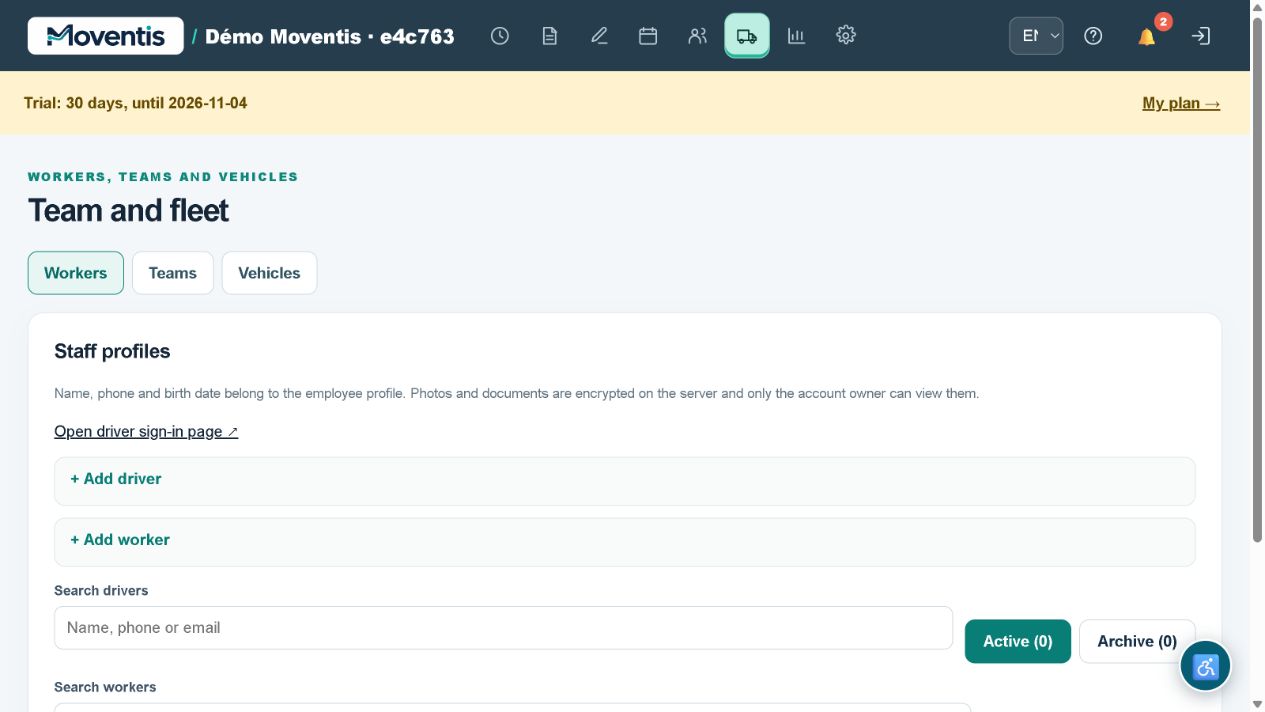
Create employee profiles, assemble crews and assign vehicles. Manage driver and operator access separately from job details.
Daily work: practical scenarios
Morning staff and vehicle allocation
Several jobs are planned today. Staff names, crew composition and vehicles should not be scattered across notes.
- Open staff profiles
- check crew composition
- assign a crew, vehicle and driver to each job
- check times in the calendar.
Each job has explicit assignments and the driver sees their route. Check overlaps yourself: this example does not promise automatic route optimisation.
Illustrative workflows, not real customer testimonials.How to use it
- Open the relevant workspace section.
- Enter the details and review them before saving.
- Save your changes and check the result in the job or report.
Workflow example
Assign a crew and vehicle to a confirmed move.
Important details
The demo uses a separate local database. Do not enter real customer personal data. External services require separate configuration.
Open demo ↗